


SONOFF Matter Smart Switch, MINIR4M Wi-Fi Smart Switch, 10A 2400W, Zero and Fire Wires
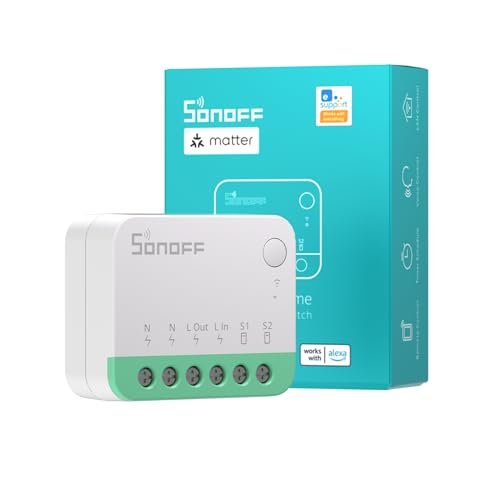
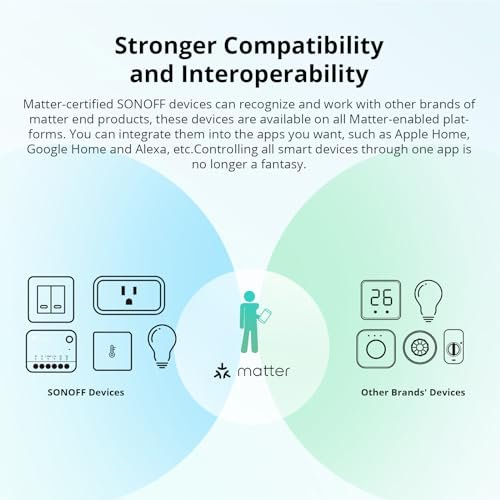
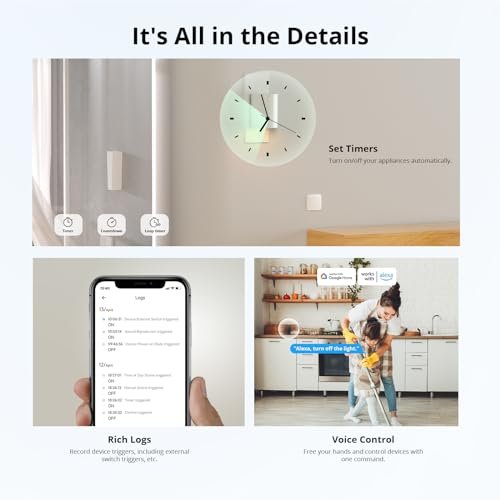
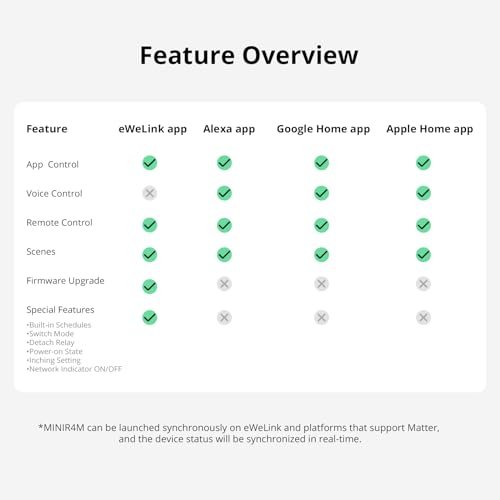
SONOFF MINIR4M is a Matter-certified WiFi smart switch which can work with other brands of Matter end devices and integrate into Matter-enabled platforms, such as Alexa, Apple Home, Google Home, etc. The smart switch support voice control via Alexa/Google Home, eWelink remote control, smart scheduled, you can to choose these function to according your needs to smart and comfort your life.
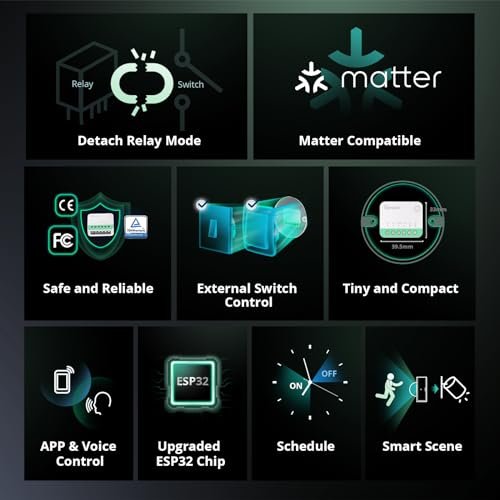
【Detach Relay Mode】The smart relay switch MINIR4M has “detach relay” mode, which means the states of external switches and relay are separated, so operating the external switch button won’t affect the relay state.
【More Compatiblity for External Switch Control】Our SONOFF MINIR4M light switch can easily connect to the momentary switch, door exit switch, SPDT switch, latching switch, and even dry contact sensors. 【Device Sharing】If you install this Smart Relay Switch MINIR4M, you can share the device control rig
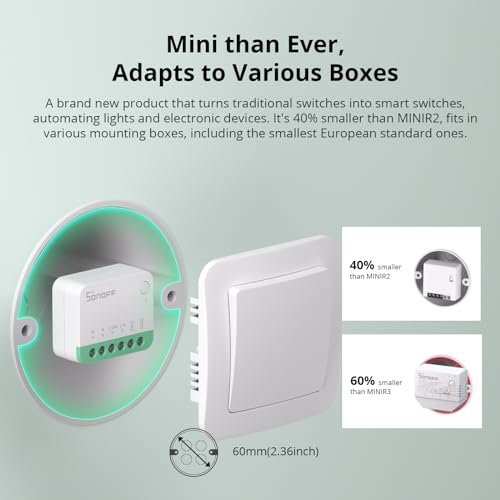
ht to your families or friends who have eWeLink account, so they can remote control the house’s device on/off state or check the device on/off state, so they also could enjoy the smart and convenient life. 【Compact and Safe】The WIFI Smart Switch size is 39.5x33x16.8mm, is 40% smaller than MINIR2 and 60% smaller than MINIR3, is very small and compact, is suit for various mounting boxes including the smallest 86/EU type. Also, The Smart Light Switch MINIR4M has obtained TÜV, CE, and FCC certifications, ensuring enhanced safety and reliability for your use.
₹2,029.00
SONOFF Wi-Fi Smart Switch Matter Smart Switch 10A 2400W, Neutral and Live Wires Required, Remote Control Smart Scheduled Light Switch Works With Alexa And Google Home Assistant, MINIR4M
1. Remote Control:Pair Wi-Fi Smart Switch MINIR4M with eWelink APP first, then you can remote control via the eWelink APP.
2. Voice Control: The matter Smart Switch MINIR4M is compatible with Alexa /Google Home, you can voice control the MINIR4M via the Alexa /Google Home.
3. Smart Scheduled: The Wi-Fi Smart Light Switch MINIR4M is support schedule/Timer/Loop Timer functions, you can according your needs to set.
4. Device Sharing: You can share the device control right to your families or friends who have eWeLink account, so they can remote control the house’s device on/off state or check the device on/off state.
5. Push Notification: Turn on this function, when device’s ON/OFF state is changed, you will receive the notification from eWelink APP.
6. History Record: The eWelink APP can show the device’s ON/OFF state history data.
7. Status Feedback: The Smart matter Switch MINIR4M device’s ON/OFF state is same as the MINIR4M state in the eWelink APP, you can check the state in the eWelink APP to judge the appliance state.
8. WiFi LED Indicator: After you pair this Smart Switch MINIR4M with eWelink APP, in the device is online state, you can according your needs to choose the LED indicator’s ON or OFF state.
9. Power Outage Protection: The Smart Switch MINIR4M have energization reaction functions, this can help you set the switch’s ON/OFF state after outage.
Specification: SONOFF Matter Smart Switch, MINIR4M Wi-Fi Smart Switch, 10A 2400W, Zero and Fire Wires
|
10 reviews for SONOFF Matter Smart Switch, MINIR4M Wi-Fi Smart Switch, 10A 2400W, Zero and Fire Wires
Only logged in customers who have purchased this product may leave a review.
Related Products
Ram Gopalan –
Simple & Easy to Install
The media could not be loaded.
It was very simple and easy to setup. I had wire & switch from my desk lamp and I reused them for the testing. The instructions for wiring were clear. Just needed to make sure that the phase & neutral was correct (use a tester). Once powered up, I scanned the code using my iPhone and within 2 minutes, it was ready for use.
5 people found this helpful
Mr. David J. P. Buckley –
The media could not be loaded.
Very impressed with how easy to install it is, the size is perfect, very small profile and connected via matter to my Apple TV 4K within a couple of minutes.I’ve used it to control the on/off function on some led lights I’ve installed in a cabinet, wiring was fused switched spur to junction box, flex cable from junction box to this controller in, then flex cable to transformer which is powering 4 led strips.There’s a button on the controller that acts as a switch, but could also wire in a switch too, I’ve chosen not too as can switch on and off from the fused spur.Works perfectly with Apple home kit via the Apple TV acting as a matter hub and lights can now be set up on automation via the Apple home kit app.
Jonathan –
Easy to wire. Nice and small, fits inside my standard size back box with blanking plate.Would not fit in a small lighting back box with a switch plate attached.Setup and connection worked first time with no faffing about. Maybe best first smart home setup I’ve seen.
One person found this helpful
NickNick –
Amazing piece of kit! It’s tiny and fits nicely in the back of the switch box spur to control kitchen cabinet lights, which are now part of my Apple HomeKit system. An added bonus is that the lights being controlled by the Sonoff Mini 4RM can also be controlled using a push button switch that I fitted into a space on the switch plate, see pic. (The switch on the spur box is being used to power the Sonoff). I intend to expand the use of these mini Sonoff’s around the house; especially for ceiling spots. In this case, like most houses I haven’t got a neutral at the light switch, but it looks simple to install a mini Sonoff at the ‘first light’ in the ceiling, and connect ‘S2’ to one of the live wires going back to the switch. As before, in this scenario HomeKit will control the lights, but with the existing physical switch being available as backup should anything go wrong.edit: Sonoff likes to phone home often, even when being controlled locally within the HomeKit network. I’ve now blocked all outflows. It’d be nice if Sonoff knew that it was being controlled locally and provide the option to switch off internet flows.
Gallowglass –
If you need a single switched supply for a light or other wired-in device and have access to the neutral wire this is an excellent choice and will integrate with a Matter-based control system via WiFi. You can also use the eWeLink app via its local (fully documented!) JSON web interface or via an eWeLink cloud account. (I would recommend installing the eWeLink app to check for firmware upgrades from time to time if nothing else.) Basic on/off Home Assistant support is provided via the built-in Matter support and/or more complete control via the HACS Sonoff integration.I bought my first one to control my existing kitchen unit down-lights as these were wired in by the previous resident to the ring main and so the neutral coonection is available in the patress box.The unit has a status LED which reports WiFi state during setup and switch state thereafter. The LED can be disabled via the eWeLink app or HACS Sonoff integration once no longer required.The unit also has a momentary contact switch to test the relay and to factory reset if required. The external switch contacts support mains-rated momentary patress switches (e.g. https://www.amazon.co.uk/dp/B07F7ZQXSL) or can be used with the existing rocker or a multi-switch stairwell setup. Choose momentary or open/close mode via the app.An interesting bonus feature allows the switch input to be separated from the relay control. For DIY smart-homers this allows the option to use the switch for something other than the light/device power and/or to manage when the switch is functional based upon other criteria. I’m not using this yet but it’s a nice feature to include in the firmware.As others have mentioned, despite the very compact design, with many modern UK sunken patress boxes, you may need a patress spacer to make room.The only missing feature, and I’m niggling here, is energy monitoring
One person found this helpful
SHISHIR GUPTA –
Device keeps going out of connection and becoming unresponsive and no way to put them in pairing mode without resetting them. I have received a full refund for the item and a great customer support from Rita who has offered to update the firmware if I can open the light junction box again and try to reset the device. Since this will need electrician to do this, I’ll contact SonOff customer service again when connection is dropped and have to get electrician onsite again. I have reviewed my rating because of the great customer service.
George T. –
Now I just have to find a suitable ceiling rose to cover it.
Sion Williams –
If you’re in the UK just beware these need a neutral wire. While most how to’s show them fitted in the light switch case, they will need fitting next to the light. Worked first time and easy to pair with home assistant. Top tip, take a photo of the back so you always have a copy of the pairing code.
4 people found this helpful
Mike H –
Note: these need power, so look for the orange coloured ones if you’re thinking of installing this solution behind a normal UK light switch. These instead need to sit alongside the ceiling rose and may therefore require a bit more knowledge on your specific light wiring
microman –
Please with how small these switches are and they seem to work ok.